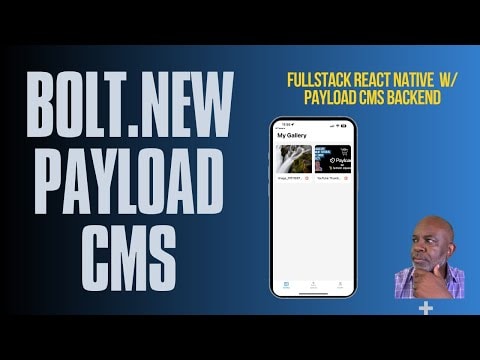
Building a Full Stack Mobile App with Bolt V2 and Payload CMS
Discover how to build a complete mobile app with a Payload CMS backend using Bolt V2. In this session, I'll guide you through the process from the initial prompt to a working Expo app, showcasing the power and efficiency of these tools.
Building a Full Stack Mobile App with Bolt V2 and Payload CMS
In this tutorial, I demonstrate how to build a complete mobile app with a Payload CMS backend using Bolt V2. This session covers everything from the initial setup to deploying a working Expo app, highlighting the efficiency and power of these tools.
What is Bolt V2?
Bolt V2 is a cutting-edge tool designed to streamline the development process. It allows developers to quickly scaffold and deploy full-stack applications, significantly reducing the time and effort required to get a project up and running.
What is Payload CMS?
Payload CMS is a modern, open-source content management system built with Node.js and React. It provides a flexible and extensible platform for managing content, making it an excellent choice for developers who need a robust backend solution.
Why Use Bolt V2 with Payload CMS?
Combining Bolt V2 with Payload CMS offers several advantages:
- Rapid Development: Bolt V2's scaffolding capabilities allow you to quickly set up the basic structure of your app, while Payload CMS provides a powerful backend for managing content.
- Flexibility: Payload CMS's flexible architecture allows you to customize and extend your backend to meet your specific needs.
- Efficiency: By using these tools together, you can significantly reduce the time and effort required to build and deploy a full-stack mobile app.
Step-by-Step Guide
- Initial Setup:
- Start by installing Bolt V2 and setting up your project directory.
- Initialize a new Bolt V2 project and configure it to work with Payload CMS.
- Configuring Payload CMS:
- Set up Payload CMS as your backend solution.
- Configure the necessary collections and fields to manage your content effectively.
- Building the Mobile App:
- Use Expo to create a new mobile app project.
- Connect your mobile app to the Payload CMS backend using the appropriate APIs.
- Testing and Deployment:
- Test your app thoroughly to ensure everything works as expected.
- Deploy your app to the appropriate platforms (e.g., Apple App Store, Google Play Store).
Conclusion
By following this guide, you'll learn how to leverage the power of Bolt V2 and Payload CMS to build a full-stack mobile app efficiently. This combination of tools not only speeds up the development process but also provides a robust and flexible backend solution for managing your content.
Additional Resources
Final Thoughts
Building a full-stack mobile app can be a complex and time-consuming process. However, with the right tools and a clear understanding of the steps involved, you can significantly streamline the development process. Bolt V2 and Payload CMS are powerful tools that, when used together, can help you build and deploy a full-stack mobile app in a fraction of the time it would normally take.
Submitted
Payload Versions