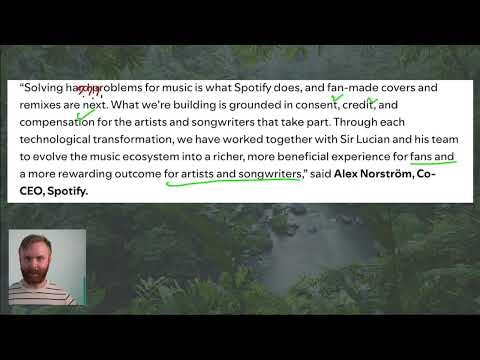
Exploring AI's Impact on the Art World with Payload CMS
Dive into the complex relationship between AI and art with this insightful discussion. Learn how Payload CMS can be leveraged to manage and showcase digital art collections, while exploring the ethical and creative implications of AI-generated art. Perfect for developers and artists alike.
AI and Art: Navigating the Digital Frontier with Payload CMS
Introduction
The intersection of artificial intelligence and art has sparked intense debate, innovation, and creativity. In this discussion, we explore the challenges and opportunities that AI presents to the art world, with a focus on how Payload CMS can serve as a powerful tool for managing and showcasing digital art collections.
Artists, curators, and developers are increasingly grappling with questions like:
- How does AI influence artistic creation and authenticity?
- What are the ethical implications of AI-generated art?
- How can technology like Payload CMS help organize and present digital art in meaningful ways?
This video provides a thought-provoking look at these questions while demonstrating how Payload CMS can be a game-changer for digital art platforms.
The AI Art Debate: Key Considerations
1. Authenticity and Originality
AI-generated art challenges traditional notions of authorship. When an algorithm creates a piece, who owns it—the artist, the developer, or the AI itself? This debate raises important questions about the value of human creativity in an era of machine-generated content.
2. Ethical Concerns
AI models are often trained on vast datasets of existing artwork, sometimes without explicit permission from the original artists. This has led to legal and ethical concerns about copyright infringement and fair compensation.
3. The Role of Technology in Art Curation
As digital art becomes more prevalent, the need for robust content management systems grows. Payload CMS offers a flexible, developer-friendly solution for organizing, displaying, and managing digital art collections with ease.
How Payload CMS Enhances Digital Art Platforms
Payload CMS is an open-source headless CMS designed for developers who need full control over their content. Here’s how it can be particularly useful for digital art platforms:
1. Customizable Data Structures
Payload allows you to define custom collections tailored to your needs. For an art platform, you could create collections for:
- Artworks (with fields for title, artist, medium, AI involvement, etc.)
- Artists (with biographies, portfolios, and social links)
- Exhibitions (with dates, locations, and featured pieces)
2. Rich Media Support
Digital art often includes high-resolution images, videos, or interactive elements. Payload CMS supports:
- File uploads (for images, videos, and 3D models)
- Custom fields (to store metadata like dimensions, creation date, or AI tools used)
- API-driven delivery (to ensure fast, scalable access to media)
3. Developer-Friendly Workflow
Payload is built with developers in mind, offering:
- TypeScript support for type-safe development
- REST and GraphQL APIs for seamless integration with front-end frameworks
- Self-hosting capabilities for full control over your data
4. Community and Collaboration Features
For platforms that foster artist communities, Payload can power:
- User-generated content (e.g., artist submissions, comments, or reviews)
- Access control (to manage permissions for curators, artists, and visitors)
- Localization (to support multilingual art platforms)
Practical Applications
Case Study: Building an AI Art Gallery with Payload CMS
Imagine creating an online gallery dedicated to AI-generated art. Here’s how Payload CMS could streamline the process:
- Define Collections
- Create a collection for Artworks with fields like
title,artist,description,AI_tool_used, andupload_date. - Add a Featured boolean field to highlight select pieces on the homepage.
- Set Up Media Handling
- Configure Payload to store high-resolution images and generate thumbnails automatically.
- Use the
imagefield type to ensure optimal display across devices.
- Build a Dynamic Front-End
- Use Payload’s REST API to fetch and display artworks in a React, Next.js, or Vue.js application.
- Implement filters (e.g., by AI tool, artist, or date) to enhance user experience.
- Enable Community Engagement
- Add a Comments collection to allow visitors to discuss individual pieces.
- Use Payload’s access control to moderate comments and submissions.
Conclusion
The relationship between AI and art is complex, but tools like Payload CMS empower developers and artists to navigate this landscape with confidence. Whether you're building a digital art gallery, a portfolio platform, or a community-driven exhibition space, Payload provides the flexibility and control needed to bring your vision to life.
For developers interested in exploring Payload CMS further, check out the Payload Essentials course to get started on your next project. Stay updated with the latest discussions by following @nlvogel on Twitter.
Further Reading
Submitted
Payload Versions