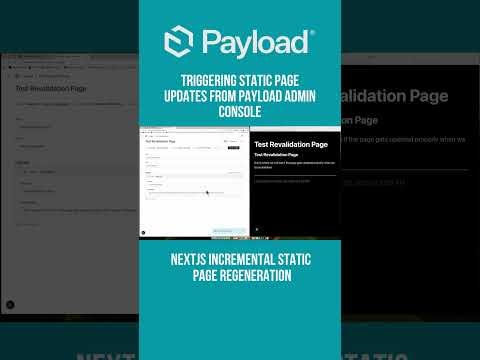
Instant Content Updates with Payload CMS in Next.js
Tired of slow Next.js builds? Learn how to achieve instant content updates in production using Payload CMS. This demo shows you how to streamline your workflow and improve efficiency.
Instant Content Updates with Payload CMS in Next.js
Tired of waiting for slow Next.js builds every time you update your content? This video demonstrates how you can achieve instant content updates in your production environment using Payload CMS.
What You'll Learn
- Understanding the Problem: Learn why traditional Next.js builds can be slow and how this impacts your development workflow.
- Introducing Payload CMS: Discover what Payload CMS is and how it can help you manage content more efficiently.
Key Concepts
- Next.js Build Process: Next.js is a popular React framework for building server-side rendered and static websites. However, one of its drawbacks is the time-consuming build process, especially as your site grows.
- Payload CMS: Payload CMS is a modern, open-source content management system built with React and Node.js. It allows you to manage your content dynamically, reducing the need for frequent rebuilds.
Step-by-Step Demo
- Setting Up Payload CMS: Learn how to set up Payload CMS and integrate it with your Next.js application.
- Content Management: See how to manage your content using Payload CMS, including creating, updating, and deleting content.
- Instant Updates: Discover how to configure your Next.js application to fetch content dynamically from Payload CMS, ensuring instant updates without the need for a rebuild.
Benefits of Using Payload CMS
- Improved Workflow: By reducing the need for frequent builds, you can focus more on developing features and less on waiting for builds to complete.
- Real-Time Updates: With Payload CMS, your content updates are reflected instantly, providing a better experience for both developers and end-users.
- Scalability: Payload CMS is designed to scale with your application, making it a suitable choice for projects of all sizes.
Conclusion
By the end of this video, you'll have a clear understanding of how to integrate Payload CMS with Next.js to achieve instant content updates. This approach not only improves your development workflow but also enhances the overall user experience by ensuring that your content is always up-to-date.
Additional Resources
About the Presenter
[Your Name] is a seasoned developer with extensive experience in building modern web applications using Next.js and Payload CMS. Follow for more tutorials and tips on improving your development workflow.
Submitted
Payload Versions