Payload CMS 3.69: Introducing Modular Dashboards for Enhanced Admin UX
Discover how Payload CMS 3.69 revolutionizes admin experiences with Modular Dashboards. Learn how this powerful feature improves customization, flexibility, and workflow efficiency for developers and content managers. See real-world use cases and implementation insights in this deep dive.
Payload CMS 3.69: Modular Dashboards Explained
Payload CMS continues to push the boundaries of headless content management with its latest release, version 3.69, introducing Modular Dashboards—a transformative feature designed to elevate the admin user experience (UX). This update empowers developers and content managers to create dynamic, customizable, and scalable dashboards tailored to their specific workflows. Below, we explore the key concepts, benefits, and implementation insights for this game-changing addition.
What Are Modular Dashboards?
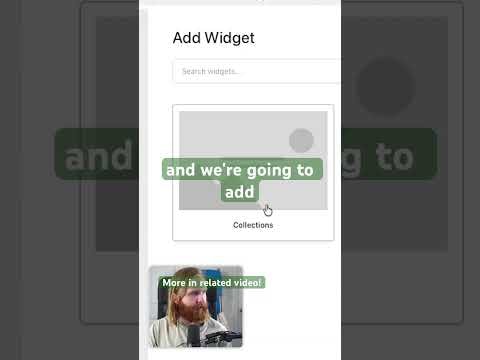
Modular Dashboards in Payload CMS allow administrators to build and arrange dashboard components (or "modules") in a flexible, drag-and-drop interface. Unlike traditional static dashboards, these modules can be:
- Customized: Tailor the layout to display only the most relevant data and tools for your team.
- Reordered: Prioritize critical information by rearranging modules to fit your workflow.
- Extended: Integrate third-party widgets, custom components, or even embed external tools (e.g., analytics, CRM data).
- Role-Based: Assign different dashboard configurations to user roles, ensuring each team member sees what they need.
This approach eliminates the one-size-fits-all limitation of conventional dashboards, offering a personalized and efficient admin experience.
Why Modular Dashboards Matter
1. Enhanced Productivity
- Reduce cognitive load by surfacing only the most relevant data and actions.
- Streamline workflows by grouping related tools and metrics in a single view.
2. Improved Collaboration
- Role-specific dashboards ensure teams (e.g., editors, developers, marketers) focus on their tasks without distractions.
- Shared modules (e.g., project status, recent activity) keep everyone aligned.
3. Future-Proof Flexibility
- Easily adapt dashboards as your project evolves—no need for costly redesigns.
- Add or remove modules without disrupting the core admin interface.
4. Developer-Friendly
- Leverage Payload’s existing extensibility to build custom modules using React.
- Reuse components across projects, saving development time.
Key Features of Modular Dashboards
Payload CMS 3.69 introduces several powerful features to support modular dashboards:
- Drag-and-Drop Interface: Intuitive layout management for non-technical users.
- Pre-Built Modules: Out-of-the-box widgets for common tasks (e.g., content previews, analytics, quick actions).
- API Integration: Fetch and display data from external sources (e.g., Stripe, Google Analytics).
- Responsive Design: Optimized for all screen sizes, ensuring accessibility on desktop and mobile.
- State Persistence: Save dashboard configurations per user or role for consistency.
How to Get Started
Implementing Modular Dashboards in your Payload CMS project is straightforward:
- Upgrade to Payload CMS 3.69: Ensure your project is running the latest version.
- Configure Dashboard Layouts: Use the admin panel to arrange modules or define layouts programmatically.
- Build Custom Modules: Extend functionality by creating React components for specific needs (e.g., a custom reporting widget).
- Test and Iterate: Gather feedback from your team and refine the dashboard to maximize efficiency.
Real-World Use Cases
- E-Commerce: Display order metrics, inventory status, and customer insights in a single view.
- Media Publishing: Show trending articles, editorial workflows, and performance analytics.
- Enterprise Applications: Integrate CRM data, project management tools, and internal documentation.
Conclusion
Payload CMS 3.69’s Modular Dashboards represent a significant leap forward in admin UX, offering unparalleled flexibility and customization. By empowering teams to tailor their dashboards, Payload CMS ensures that developers and content managers can work more efficiently and collaboratively. Whether you’re building a small blog or a complex enterprise application, this feature provides the tools to create a scalable, intuitive, and powerful admin interface.
Ready to transform your admin experience? Upgrade to Payload CMS 3.69 and start building your modular dashboard today!
Submitted
Payload Versions