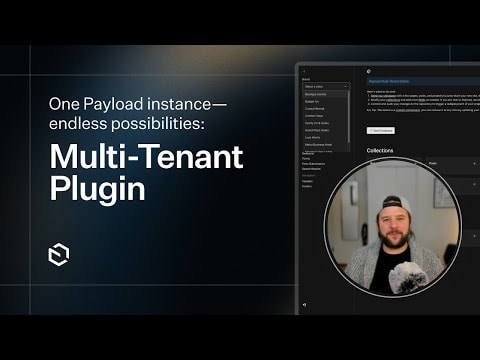
Payload CMS Multi-Tenant Plugin: Simplify Workflows and Scale Effortlessly
Discover how Payload's Multi-Tenant plugin streamlines engineering, deployment, and content management. Learn to manage multiple tenants from a single instance, reduce overhead, and scale your projects efficiently—ideal for agencies and SaaS applications.
Payload CMS Multi-Tenant Plugin: Unlock Scalability and Efficiency
Managing multiple clients, projects, or environments in a content management system (CMS) can quickly become complex, especially when dealing with separate instances, deployments, and workflows. Payload CMS addresses this challenge with its Multi-Tenant Plugin, a powerful tool designed to simplify multi-tenant architectures while reducing engineering and operational overhead. This guide explores how the plugin works, its key benefits, and why it’s a game-changer for developers and agencies.
What is the Multi-Tenant Plugin?
The Multi-Tenant Plugin for Payload CMS allows you to manage multiple tenants (e.g., clients, projects, or environments) from a single Payload instance. Instead of deploying and maintaining separate CMS instances for each tenant, you can consolidate everything into one, streamlining:
- Engineering workflows: Reduce boilerplate code and repetitive configurations.
- Deployment processes: Manage updates, security patches, and scaling from a centralized system.
- Content management: Provide tenants with isolated, secure access to their data while maintaining a unified admin experience.
This approach is particularly valuable for agencies managing multiple clients, SaaS applications with tenant-specific content, or enterprises with segmented teams or departments.
Key Features and Benefits
1. Single Instance, Multiple Tenants
- Run all tenants on one Payload instance, eliminating the need for separate deployments.
- Reduce infrastructure costs and simplify maintenance.
2. Isolated Data and Permissions
- Each tenant’s data is logically separated, ensuring privacy and security.
- Role-based access control (RBAC) allows fine-grained permissions for tenants and their users.
3. Streamlined Content Management
- Tenants can manage their own content through a shared admin panel or custom interfaces.
- Admins can oversee all tenants from a centralized dashboard.
4. Scalability and Flexibility
- Easily add or remove tenants without disrupting existing workflows.
- Customize tenant-specific configurations, such as themes, collections, or globals.
5. Developer-Friendly
- Leverage Payload’s existing features (e.g., hooks, access control, and custom fields) within a multi-tenant setup.
- Integrate seamlessly with other Payload plugins and third-party tools.
Use Cases
Agencies and Freelancers
- Manage multiple client websites or applications from a single Payload instance.
- Reduce deployment complexity and improve collaboration across projects.
SaaS Applications
- Provide each customer with a dedicated, isolated environment while maintaining a unified backend.
- Scale effortlessly as your user base grows.
Enterprise Solutions
- Segment teams or departments (e.g., marketing, HR, or product) with isolated content and permissions.
- Maintain a consistent brand experience across all tenant environments.
Getting Started
To implement the Multi-Tenant Plugin, follow these steps:
- Install the Plugin: Add the plugin to your Payload project via npm or yarn.
- Configure Tenants: Define tenant-specific settings, such as collections, globals, and access control rules.
- Set Up Permissions: Use Payload’s RBAC to restrict tenant access to their own data.
- Deploy: Launch your multi-tenant instance and start onboarding tenants.
For detailed documentation and examples, refer to the official Payload CMS Multi-Tenant Plugin guide.
Why Choose Payload for Multi-Tenancy?
Payload CMS stands out as a headless, code-first CMS that prioritizes flexibility and developer experience. The Multi-Tenant Plugin extends these strengths by:
- Reducing complexity: No need to manage multiple CMS instances or databases.
- Enhancing security: Built-in isolation and permissions ensure tenant data remains private.
- Improving efficiency: Centralized updates and maintenance save time and resources.
Whether you’re building a multi-client agency platform, a SaaS product, or an enterprise solution, the Multi-Tenant Plugin empowers you to scale effortlessly while maintaining control over your content and workflows.
Submitted
Payload Versions